
E-Readers for Low Vision

11/18/14

While the devices mentioned in the November 13th post will help you read a hardcover or paperback book, what about an e-reader?

E-Readers for Low Vision

These lightweight portable devices come with a variety of options for people with limited vision, at a more moderate cost. The two we will look at are the Kindle and the Nook.

KindleVoyage - E-Readers for Low Vision
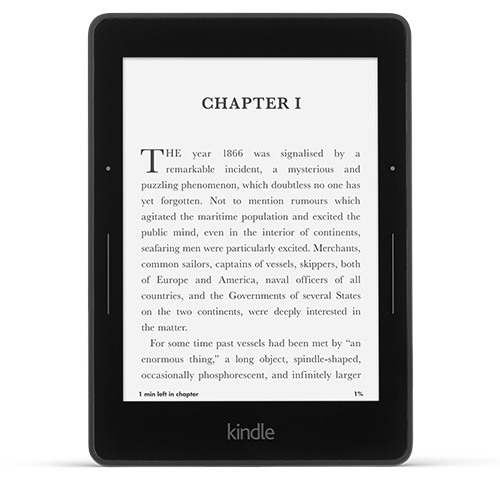
There are two options here, an e-ink reader (the Paperwhite or the new Voyage), the closest to reading a paper page, or a full-color tablet. The only accessibility options for the e-ink readers are the ability to select a font you find easy to read and the ability to increase the font size. The increase in font size is a big help, but remember, that as you increase the size you will be “turning the page” more often – the screen size is 6” diagonally. The Voyage has a whiter background than the Paperwhite allowing for more contrast. Both include a built-in screen light that can be adjusted to your needs. One thing to note is that while it does have a screen light, it is not a backlit display as you will find in the Fire HDX. This might mean less eye strain.

The Fire HDX is a full-color tablet with quite a few more accessibility options and the screen sizes range from 6” to 8.9”. Since it is a full functioning tablet you can access email, play games, watch videos and a variety of other things. It has more large-font options (that can even be used for your emails), a screen magnifier that is easily activated with a triple tap on the screen and you can pinch to adjust the zoom and the backlit display provides high contrast. There are other options for people that are blind including a screen reader to describe actions taken on your screen, five accessibility shortcut gestures to help you navigate and even Braille support with a free app from the Amazon App Store. Because it is a backlit display you may experience eye strain if you don’t occasionally take reading breaks.

Kindle also has a free accessibility plugin that is downloadable for your Windows PC. It provides the following features: text-to-speech reading, voice-guided menu navigation, large font sizes, high contrast reading mode, keyboard navigation and accessible shortcuts. It is compatible with JAWS, NVDA and Microsoft Narrator.

NookNooik - E-Readers for Low Vision
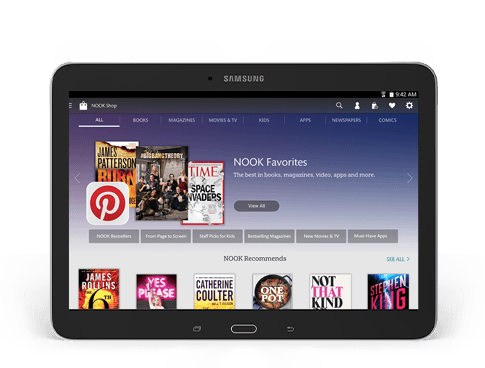
Nook, like Kindle, has two options. An e-reader called the Nook GlowLight and a full-color tablet called the Samsung Galaxy Tab 4 Nook in 7’ and 10.1” sizes. As with the Kindle e-ink reader, the only accessibility options are the font and font size. There is also a built-in light to make the page brighter.

The new full-color tablets now made by Samsung, provide you with the access of a full functioning tablet such as email, playing games, watching videos, etc. The vision accessibility options include screen magnification for the text and pictures, TalkBack which reads aloud menus and on-screen options for navigating the device, negative colors to invert the color of the screen (text that usually appears black on white will be shown white on black), color adjustment if you are color-blind, and a text-to-speech option that will allow you adjust the rate at which text is spoken and your preferred text-to-speech program. Once again, these tablets have backlit screens that may tire your eyes after an extended period of reading, so take breaks.

E-Book Formats

The Kindle and Nook each have their own proprietary book formats, meaning that you can only read a book purchased for the Kindle on a Kindle or a Nook book on a Nook, however EPUB and CBZ formats can be easily transferred to the Nook. This is more important when it comes to borrowing e-books from a library. The EPUB format is more common when e-books are offered; and while some libraries now offer Kindle books, there are more EPUB titles. If you are comfortable with technology, you can use Calibre to convert most formats into whatever format you need.

Choosing between a Kindle and a Nook is based on personal preference. You can try out both devices before you buy them at Best Buy or Staples for the Kindle and at Barnes & Noble stores for the Nook. If you already own an iPad or Android tablet, remember you can also download the free Kindle and Nook apps from the App Store or Google Play.

Susan DeRemerSusan DeRemer, CFRE
Vice President of Development
Discovery Eye Foundation
For Book Lovers – Low Vision Magnifiers

11/13/14

The first of this month was Book Lover’s Day, and as an avid reader, I am willing to celebrate any day that is about reading. However, if you suffer from low vision due to age-related macular degeneration, cataracts, retinitis pigmentosa or other sight-threatening eye diseases, you may not be able enjoy reading as much as you used to.

There are several options to help you enjoy books again, including low vision magnifiers, e-books and tablets. We will provide you with a quick primer to help you select the best option for your lifestyle and budget. Today we will look at magnifiers and Tuesday we will explore e-readers and tablets.

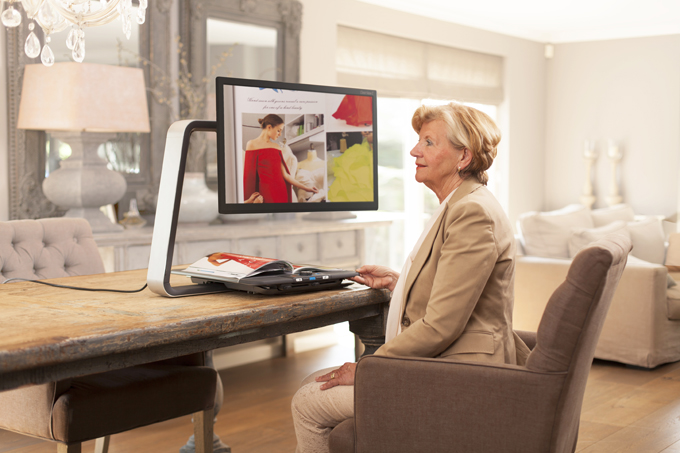
Optelec ClearView low vision magnifiers
Optelec ClearView Magnifier

Low Vision Magnifiers

There are several general classifications for magnifiers –

• Hand-held magnifiers – These are smaller and more portable, allowing you to read thins such as menus, price tags, prescription bottles and ingredients in addition to books. Some also come with built-in lighting that can help you see in low light situations. They can be as simple as a single glass lens to more advanced digital devices that can auto-focus, change text color and magnification or even let you snap a picture of what you are reading if steady hands are an issue. However, because of these are small enough to make them portable, the field of vision is small and reading books for any length of time might become tedious.

• Stand magnifiers – These are really better for reading books, magazines and newspapers as the field of vision is larger, your hands will not get tired holding the device and the distance between the page and the magnifier will remain more constant, making reading easier. This is especially important if you have tremors. However, these require sitting at a desk or table to be used.

• Magnifiers mounted on reading glasses – These are great for being “hands-free,” but they also limit your ability to see at varying distances, and are generally used for seeing things less than a foot from your nose.

• Video magnifiers – These devices use a video camera (similar to the portable digital device listed above) that focuses on the page and then magnifies it for viewing on a screen or monitor. Text color/background, brightness, contrast and levels of magnification can be adjusted as needed. As with the stand magnifiers, the ones able to scan an entire page of a book need to be used at a desk or table. However, now there are some machines that will even read out loud to you!

To get an idea of the range of devices available, along with the wide range of prices, here are three websites to get you started – Enhanced Vision, Optelec and Humanware.

Because each person has a different vision issue, not one magnifier works for everyone. A person with central vision loss from age-related macular degeneration will have different needs from a person with peripheral vision loss from glaucoma. That is why we suggest that you consult with a low vision specialist to help guide you in selecting the correct device for your specific needs.

Check back on Tuesday, or subscribe to the DEF blog, to learn about e-reader and tablet options for people with low vision.

Susan DeRemerSusan DeRemer, CFRE
Vice President of Development
Discovery Eye Foundation
Diabetes Awareness Month & Diabetic Eye Disease

11/11/14

Even though people with diabetes are at a greater risk of developing blinding eye diseases, a recent study of Medicare beneficiaries show that very few of the people at risk have a preventative yearly eye exam.

Facts About Diabetes

In the US there are 29.1 million that have diabetes, 21 million have been diagnosed and 8.1 million are undiagnosed. Unfortunately, if left undiagnosed or untreated, diabetes can lead to serious health problems such as high blood pressure, increased LDL cholesterol, heart disease, stroke, kidney disease and blindness.

Although African-Americans and Hispanics are more likely to have diabetes, less than a third are aware of diabetic eye disease. And for those that have been diagnosed with diabetes, where a yearly eye exam is considered essential, ¾ of them have not had an eye exam in five years.

Diabetic Eye Disease – 3 Ways Diabetes Affects Vision

diabetic eye disease
Courtesy of National Eye Institute, National Institutes of Health
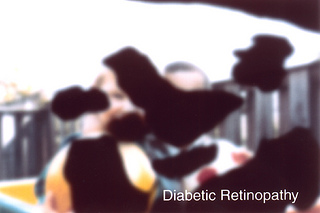
Diabetic retinopathy affects 28.5% of people 40 and older that have been diagnosed with diabetes. It happens when the blood vessels in the retina are damaged by leaking or blocking blood flow to the retina (the source of your central vision for reading, driving, recognizing faces, etc.) and if untreated, it can lead to complete blindness. In the very early stages there are no symptoms. And while there are some treatments that may help slow the progression of the macular edema, there is no way to regain sight that is lost.

Cataracts occur when there is a clouding of the eye’s lens, making your vision blurry or cloudy. While it is a normal for this to happen as a person ages, someone with diabetes is more likely to develop them at an earlier age. While beginning cataracts can be treated with glasses, when they become more advanced, cataract surgery will be needed to replace the cloudy lens with an artificial lens.

glauccoma diabetic eye disease
Courtesy of National Eye Institute, National Institutes of Health
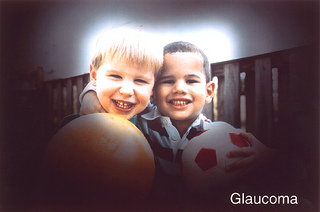
A person with diabetes is nearly twice as likely to get glaucoma as other adults. Glaucoma is an eye disease that damages the optic nerve. The damage occurs when the pressure in the eye increases, squeezing the optic nerve and restricting its visual transmissions to the brain. Like diabetic retinopathy, you rarely notice any changes in your vision in the early stages, but as it progresses you begin to lose your peripheral vision. It can be treated with eye drops or surgery, but left untreated it can result in blindness.

Controlling Diabetes

Diabetes can be controlled, and some cases prevented, with careful attention to diet, watching your weight and exercise. Also learn your family medical history. You are at a higher risk of diabetes if a mother, father, brother or sister has the disease. If you are diagnosed with diabetes, make sure you have a yearly comprehensive eye exam to avoid vision loss. To learn more about diabetes go to www.ndep.nih.gov.

Susan DeRemerSusan DeRemer, CFRE
Vice Pesident of Development
Discovery Eye Foundation