


With COVID-19 and a shift to online learning by many schools, children are spending even more time looking at screens. Staring at digital screens for a long period of time can cause hazy, blurred vision and can make eyes burn and feel dry, itchy and irritated. This condition is known as digital eye strain or computer vision syndrome. Other symptoms of digital eye strain can include:
- Neck and shoulder pain
- Headaches
- Fatigue
- Words moving on the screen (due to underlying eye alignment issues)
What Parents Can Do:
- Monitor screen time. Find some balance between the digital and real world. Two especially important aspects of this are making sure screens don’t cut into:
- Sleep. Not getting enough shut-eye leads to tired, sore eyes. Avoid exposure to screens for 1 hour before going to bed. Using devices past bedtime, especially for violent video games or shows, can interfere with sleep.
- Putting down the device or stepping away from the computer or TV can help avoid eye and vision problems from too much screen time. Children age 6 years and older should be getting at least 60 minutes of physical activity each day. Active play is the best exercise for young children. Outside play can also be a great “workout” for children’s vision—giving them a chance to focus at different distances and getting exposure to natural sunlight.
- Take frequent breaks. Children frequently get so absorbed in what they’re doing that they don’t notice symptoms of eye strain. Remind them to take breaks. Use the 20/20/20 rule: look away from the screen every 20 minutes, focus on an object at least 20 feet away, for at least 20 seconds. In addition, children should walk away from the screen for at least 10 minutes every hour. A simple timer can help your child remember, and there are even software programs that can help by turning off the screen in regular intervals.

- Remember to blink. Staring at a computer can cut blinking rates by half and cause dry eyes. Encourage your child to try to blink extra, especially when they take breaks. Your pediatrician or eye doctor may recommend moisturizing eye drops or a room humidifier if your child continues to be bothered by dry eyes.
- Screen positioning. Make sure the screen on your child’s desktop or laptop computer is slightly below eye level. Looking up at a screen opens eyes wider and dries them out quicker. Some experts suggest positioning device screens based on the 1/2/10 rule: mobile phones ideally at one foot, desktop devices and laptops at two feet, and roughly 10 feet for TV screens (depending on how big the screen is). Adjusting the font size—especially on smaller screens—so it’s twice as big as your child can comfortably read may also help reduce eye fatigue.
- Spotlight on lighting. To cut down on glare and eye fatigue, consider the level of lighting in a room when using a computer or other screen. Ideally, it should be roughly half what it would be for other activities such as writing on paper or working on crafts. Try to position computers so that light from uncovered windows, lamps and overhead light fixtures aren’t shining directly on screens. Decrease the brightness of the screen to a more comfortable level for viewing. Some optometrists recommend special computer glasses with orange lenses that may also help reduce glare. Children who wear prescription eyeglasses may have an anti-reflective coating added, as well.
- Get regular vision screenings. If your child is having blurry vision or similar eye problems, he or she may not speak up. That’s why regular vision screenings are important. The American Academy of Ophthalmology recommend children have their eyes checked by a pediatrician at well-child visits beginning at birth. If a problem is found during one of these routine eye exams, your pediatrician may refer you to a pediatric ophthalmologist.
Children, especially younger ones, will likely need help and reminders to use digital screen devices in an eye-friendly way. If you have any questions about keeping your child’s eyes and vision healthy, talk with your pediatrician.


 Rest and blink your eyes – Researchers found that over 30% of people using digital devices rarely take time to rest their eyes. Just over 10% say they never take a break, even when working from home. The eye muscles get overworked and don’t get a chance to relax and recover. Experts suggest the 20-20-20 rule; every 20 minutes, focus your eyes and attention on something 20 feet away for 20 seconds. You can also get up and walk around for a few minutes.
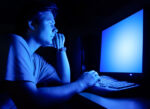 Reduce exposure to blue light – In the spectrum of light, blue is more high energy and close to ultraviolet light. So, if you use screens throughout the day, ask your eye doctor about the value of computer glasses that block blue light. Reducing exposure to blue light may help lessen vision problems. At home, using digital devices until bedtime can overstimulate your brain and make it more difficult to fall asleep. Eye doctors recommend no screen time at least one to two hours before going to sleep.
 Sit up straight – Proper posture is important. Your back should be straight and your feet on the floor while you work. Elevate your wrists slightly instead of resting them on the keyboard.
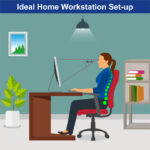 Set up monitor properly – Make sure your computer screen is about 25 inches, or an arm’s length, away from your face. The center of the screen should be about 10-15 degrees below eye level. Cut glare by using a matte screen filter. You can find them for all types of computers, phones, and tablets. Increase font size or set the magnification of the documents you are reading to a comfortable size.
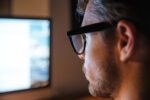 Consider computer glasses –For the greatest comfort at your computer, you might benefit from having your eye doctor modify your eyeglasses prescription to create customized computer glasses. This is especially true if you normally wear distance contact lenses, which may also become dry and uncomfortable during extended screen time. Computer glasses also are a good choice if you wear bifocals or progressive lenses, because these lenses generally are not optimal for the distance to your computer screen.
 Get an Eye Exam – If you have tried all these tips and eye strain is still an issue, it might be time to see an eye care professional to schedule an eye exam. The exam may even detect underlying issues before they becomes worse.
 Healthy Aging Month is an annual health observance designed to focus national attention on the positive aspects of growing older. Aging is a process that brings many changes. Vision loss and blindness, however, do not have to be one of them. There are several simple steps you can take to help keep your eyes healthy for the rest of your life.

 Tom Sullivan
 When you think of cancer, most of us do not think about the eye or vision. Though rare, cancer can start inside or outside of the eye. If cancer starts inside the eyeball it’s called intraocular and if it starts outside the eye (eyelid or in the eye socket) then it’s called extraocular tumor. It can occur in both children and adults. Most major eye centers have specialists who are trained in the diagnosis and treatment of eye cancers.
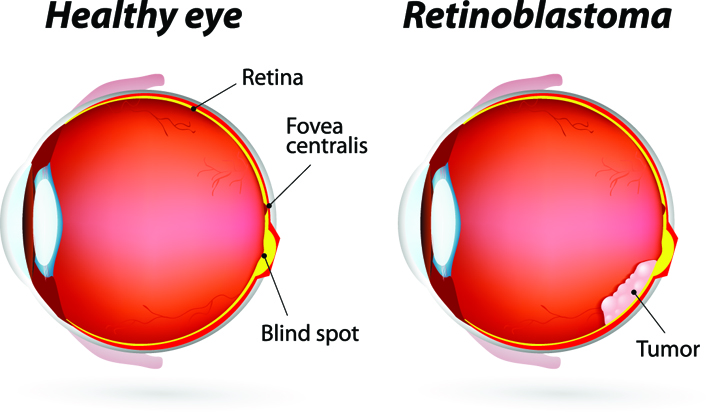 At the later stage of this cancer, the only one way to survive is to remove the eyeball (enucleation). Like many of other types of cancer, retinoblastoma has a genetic component so genetic testing needs to be done. The tumor begins with the RB1 gene mutation that stimulates retinal cells to develop into a tumor called a retinoblastoma. The RB1 mutation can be inherited from the parents, but in some cases it is sporadic and not inherited. There are various treatments such as surgery, chemotherapy, radiotherapy etc. to cure retinoblastoma cancer. Rarely it can spread beyond the eye.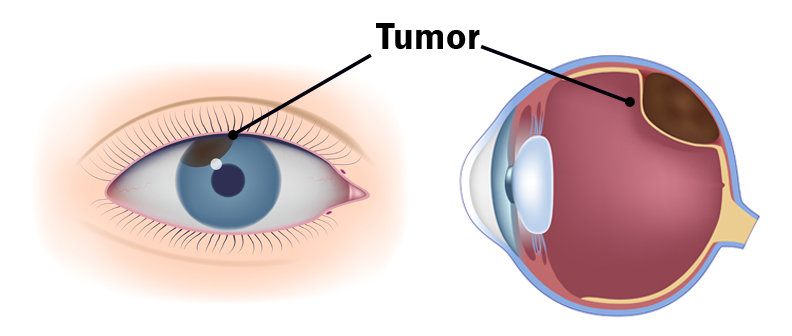

 UV Protection – Sunglasses for children should block 100% of UV radiation as well as between 75 – 90% of visible light. Any sunglasses you buy should have this information provided in the packaging
  FIREWORK & EYE SAFETY:
  Even sparklers can be dangerous, as they burn at more than 2,000 degrees Fahrenheit. Sparklers were responsible for 1,200
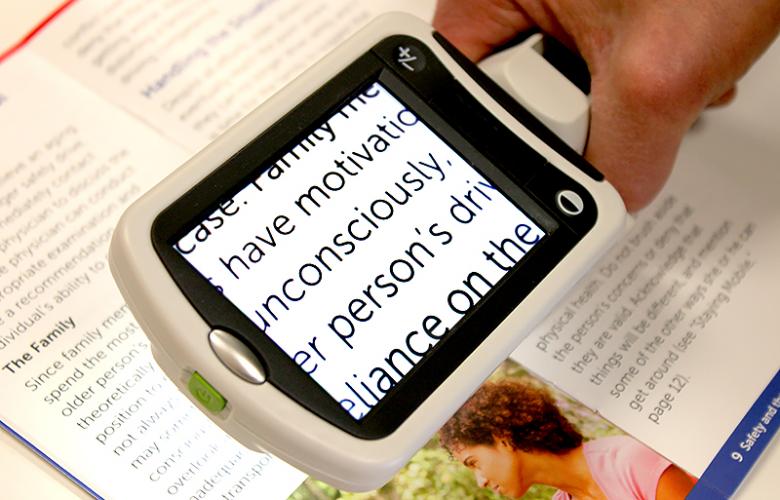 Portable magnifiers and lighted magnifiers- offer magnified reading on the go. Perfect for menus, shopping lists, label reading, and more, portable magnifiers can fit in your pocket, purse, or be worn on the belt for quick, easy use.
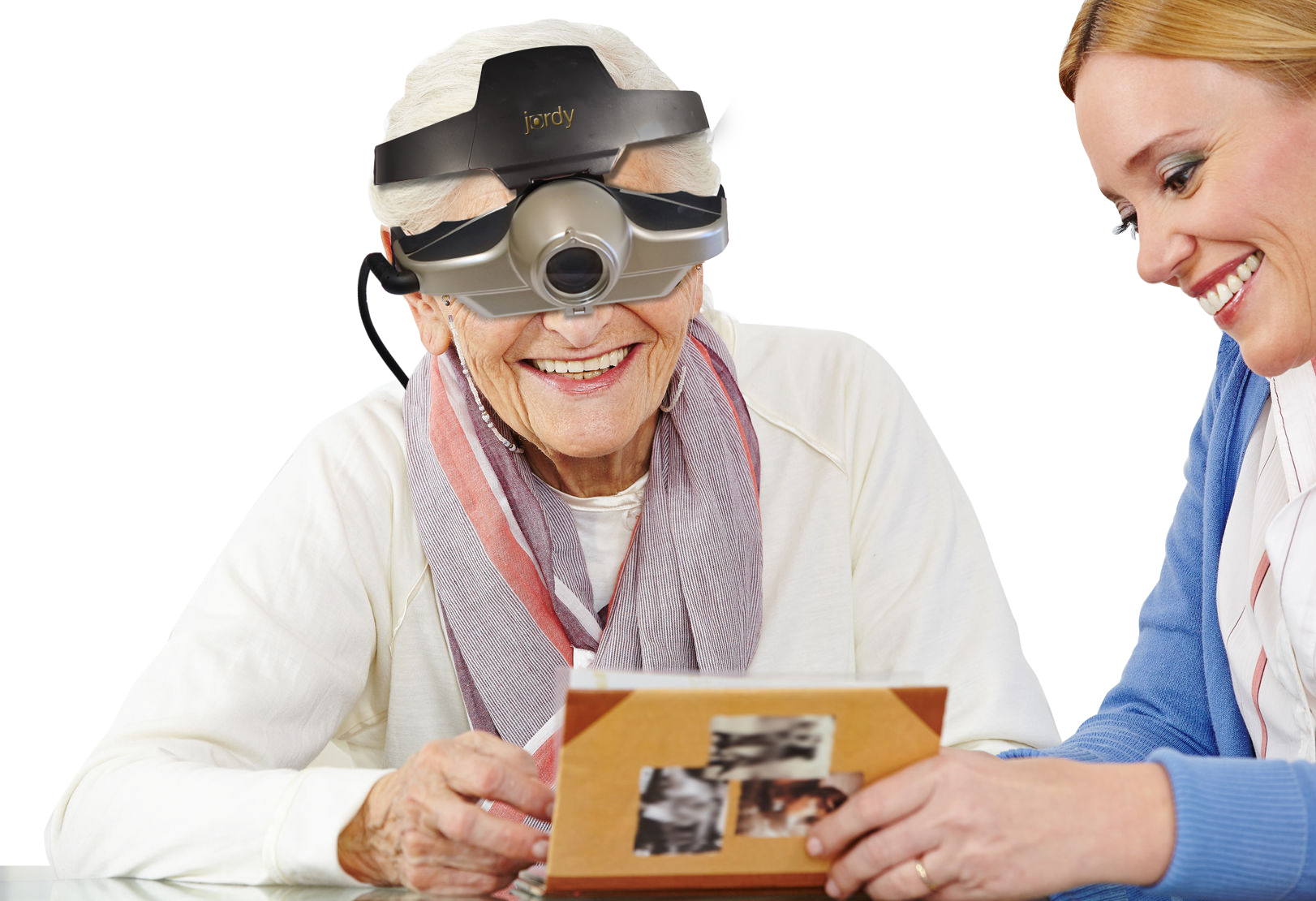 Wearable magnifiers – wearable technology is the future for those with low vision who live an active lifestyle. Wearable options make it possible to see and take part in everyday tasks, such as reading and recognizing faces.
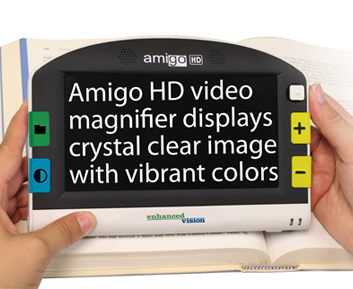 Transportable magnification screens– are perfect for close up viewing as well as distance viewing. These great viewers offer great flexibility, from watching TV to using the mirror image feature for self-viewing. There are APPS for smart phones that can be used to magnify reading material.
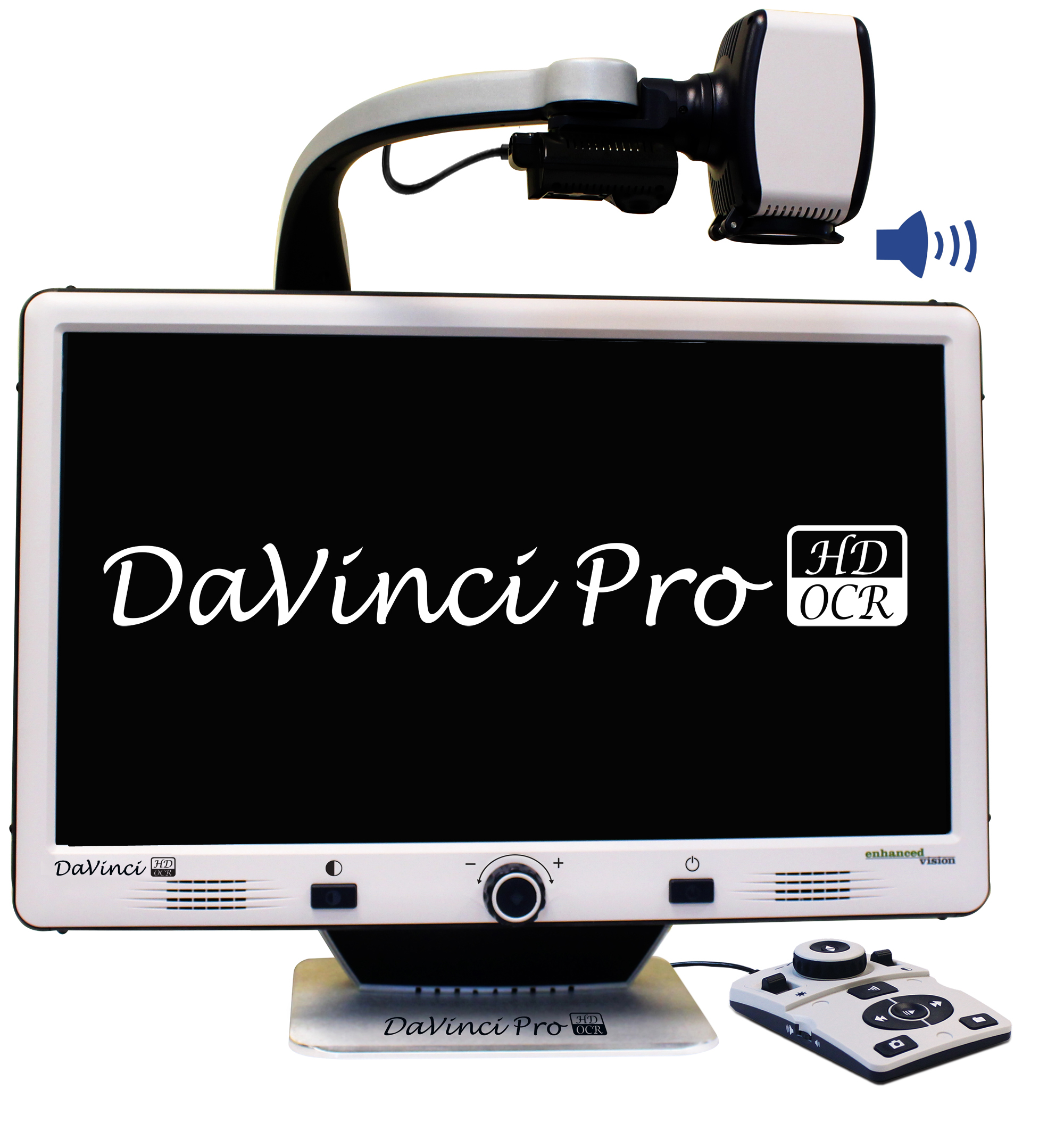 Desktop devices for reading books, bills or letters – these have large, bright screens. A reading table offers visual aid for reading books, optional computer connectivity and more. This family of portable magnification units offers up to 75x magnification.