

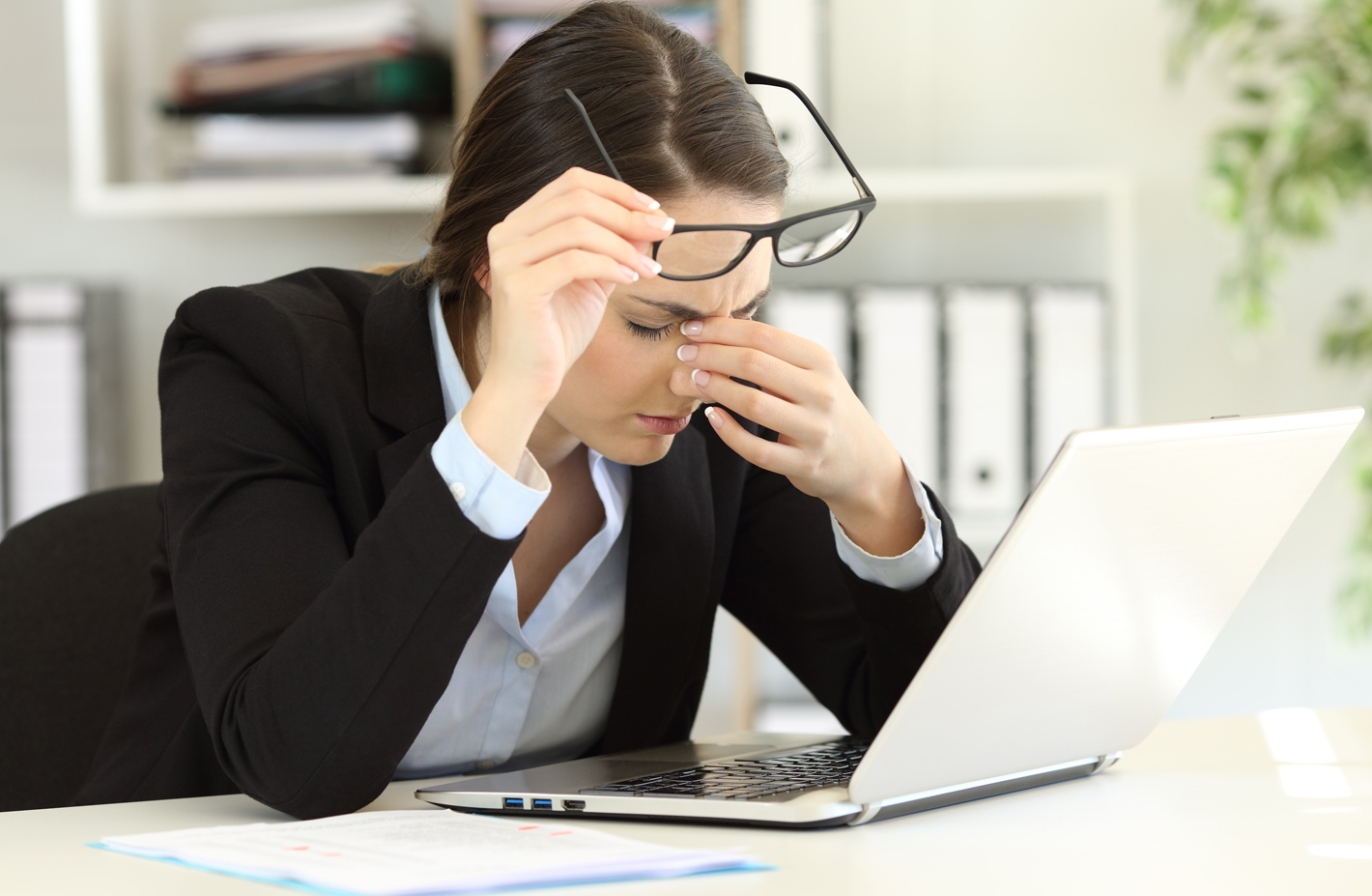
Working from home has become the new normal for many Americans during this pandemic. Most are happy without the commute, although working outside the office and in all sorts of strange places, such as bedrooms, backyards, living rooms, has become common place. We’ve had to learn how to work remotely, which in turn means spending a lot more time using computers and smartphones.
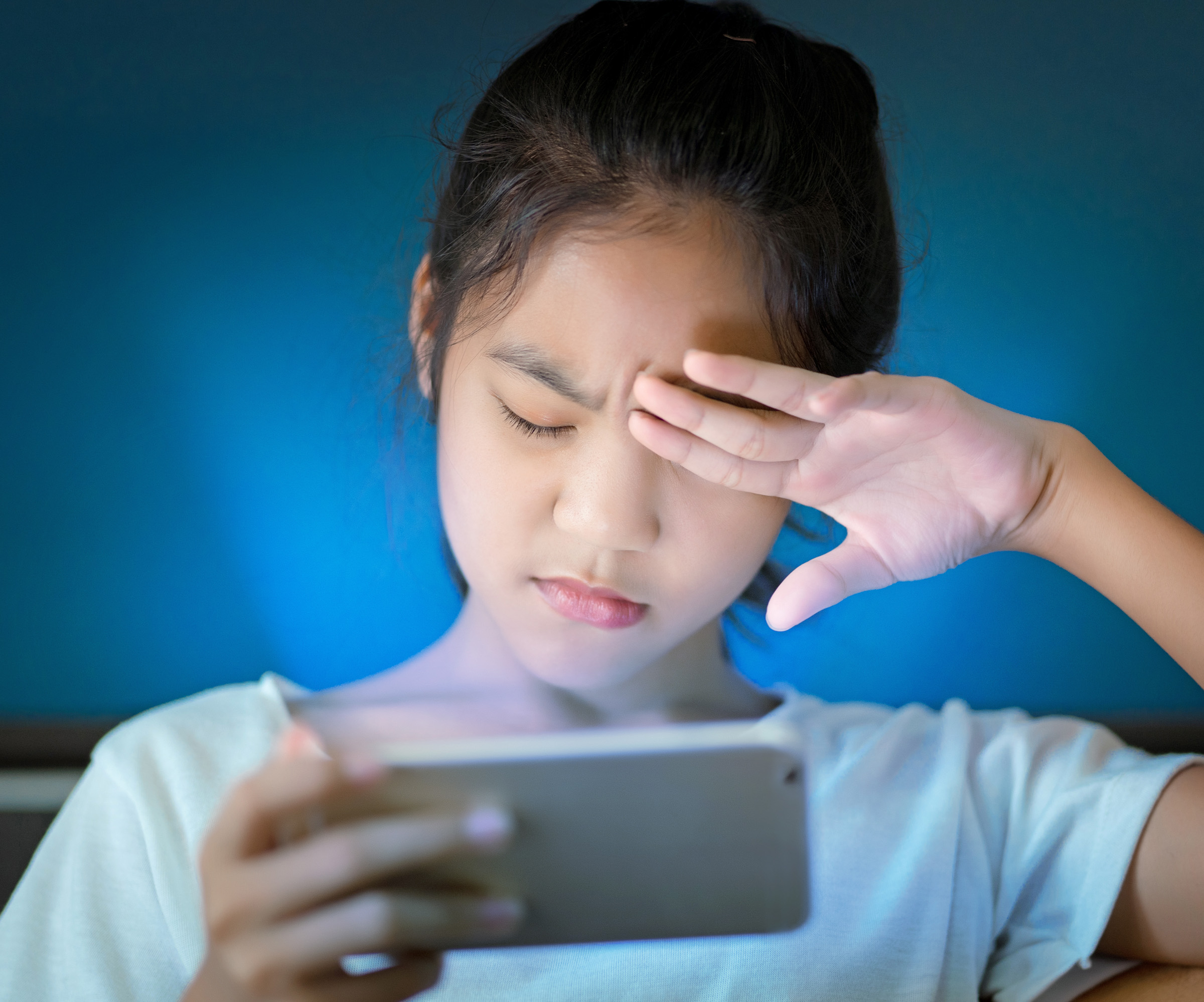
Moving out of properly-lit classrooms and offices – and away from ergonomically correct desks – can have long-term effects on our eyes. Excessive time at a computer screen under the best conditions can lead to symptoms of eye strain.
Eye Strain Symptoms include:
- Headaches
- Blurred vision
- Uncomfortable dry eyes
- Neck and shoulder pain
To help avoid eye strain, here are few tips for working from home:
 Record time spent on screens – Most adults age 18 and older spend at least 13 hours each day using digital devices. Extended screen time can cause discomfort and vision difficulties. When working from home, you may lose track of how much time you’re on your computer or smartphone. So keep track of the hours you use devices. That way, you’ll be aware of the demand you’re placing on your eyes.
 Rest and blink your eyes – Researchers found that over 30% of people using digital devices rarely take time to rest their eyes. Just over 10% say they never take a break, even when working from home. The eye muscles get overworked and don’t get a chance to relax and recover. Experts suggest the 20-20-20 rule; every 20 minutes, focus your eyes and attention on something 20 feet away for 20 seconds. You can also get up and walk around for a few minutes.
 Reduce exposure to blue light – In the spectrum of light, blue is more high energy and close to ultraviolet light. So, if you use screens throughout the day, ask your eye doctor about the value of computer glasses that block blue light. Reducing exposure to blue light may help lessen vision problems. At home, using digital devices until bedtime can overstimulate your brain and make it more difficult to fall asleep. Eye doctors recommend no screen time at least one to two hours before going to sleep.
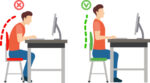 Sit up straight – Proper posture is important. Your back should be straight and your feet on the floor while you work. Elevate your wrists slightly instead of resting them on the keyboard.
- Proper lighting – A setting that’s too bright (sunny backyard) or too dim (cavernous basement) can cause eye strain and headaches. Your screen should be bright enough that you don’t need to squint. A screen shield can help reduce glare.
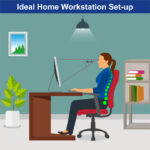 Set up monitor properly – Make sure your computer screen is about 25 inches, or an arm’s length, away from your face. The center of the screen should be about 10-15 degrees below eye level. Cut glare by using a matte screen filter. You can find them for all types of computers, phones, and tablets. Increase font size or set the magnification of the documents you are reading to a comfortable size.
 Consider computer glasses –For the greatest comfort at your computer, you might benefit from having your eye doctor modify your eyeglasses prescription to create customized computer glasses. This is especially true if you normally wear distance contact lenses, which may also become dry and uncomfortable during extended screen time. Computer glasses also are a good choice if you wear bifocals or progressive lenses, because these lenses generally are not optimal for the distance to your computer screen.
- Create Technology-Free Zones – These tips can help reduce eye strain when you’re forced to look at screens all day, creating technology-free zones in certain areas of your home, like the bedroom or bathroom. If you spend the entire day working on the computer, getting in bed and scrolling through social media until you fall asleep won’t do your eyes any favors.
Once you’re done for the day, truly unplug. Read a book or spend some quality time with family members without your phone.
 Get an Eye Exam – If you have tried all these tips and eye strain is still an issue, it might be time to see an eye care professional to schedule an eye exam. The exam may even detect underlying issues before they becomes worse.

 Healthy Aging Month is an annual health observance designed to focus national attention on the positive aspects of growing older. Aging is a process that brings many changes. Vision loss and blindness, however, do not have to be one of them. There are several simple steps you can take to help keep your eyes healthy for the rest of your life.

 Tom Sullivan
 When you think of cancer, most of us do not think about the eye or vision. Though rare, cancer can start inside or outside of the eye. If cancer starts inside the eyeball it’s called intraocular and if it starts outside the eye (eyelid or in the eye socket) then it’s called extraocular tumor. It can occur in both children and adults. Most major eye centers have specialists who are trained in the diagnosis and treatment of eye cancers.
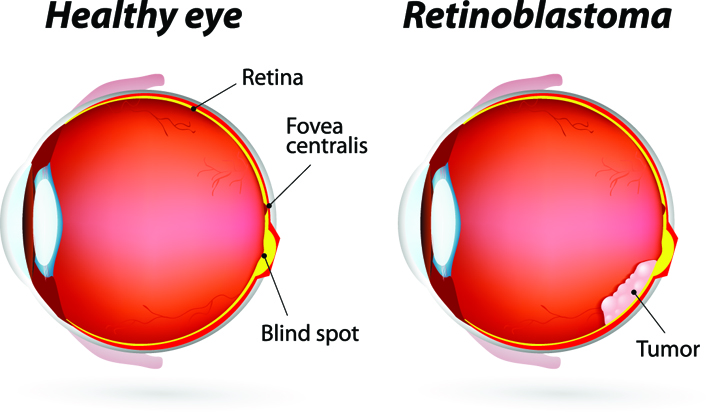 At the later stage of this cancer, the only one way to survive is to remove the eyeball (enucleation). Like many of other types of cancer, retinoblastoma has a genetic component so genetic testing needs to be done. The tumor begins with the RB1 gene mutation that stimulates retinal cells to develop into a tumor called a retinoblastoma. The RB1 mutation can be inherited from the parents, but in some cases it is sporadic and not inherited. There are various treatments such as surgery, chemotherapy, radiotherapy etc. to cure retinoblastoma cancer. Rarely it can spread beyond the eye.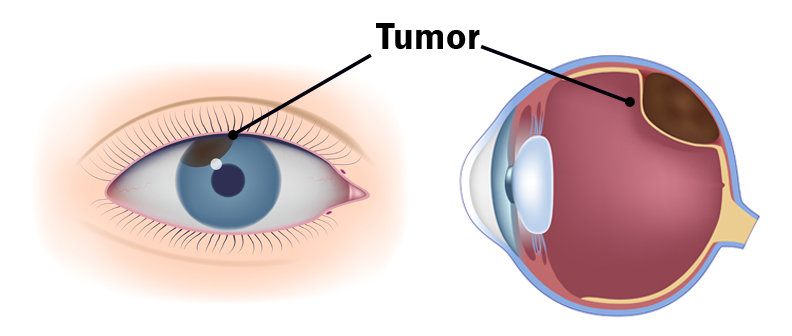

 UV Protection – Sunglasses for children should block 100% of UV radiation as well as between 75 – 90% of visible light. Any sunglasses you buy should have this information provided in the packaging
  FIREWORK & EYE SAFETY:
  Even sparklers can be dangerous, as they burn at more than 2,000 degrees Fahrenheit. Sparklers were responsible for 1,200
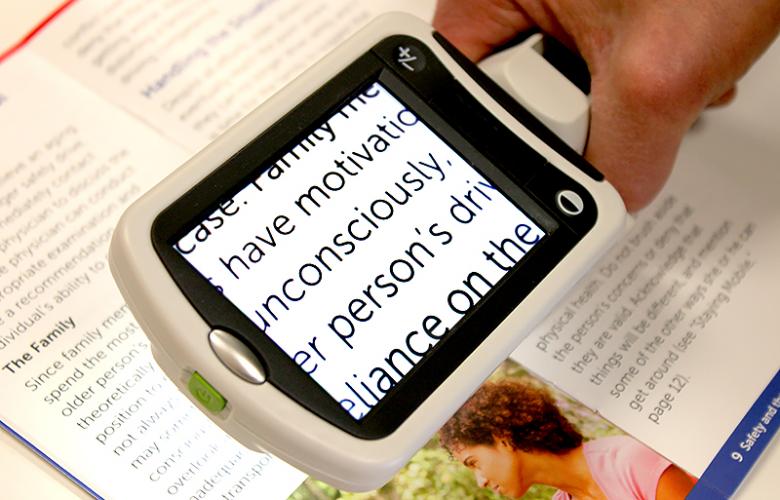 Portable magnifiers and lighted magnifiers- offer magnified reading on the go. Perfect for menus, shopping lists, label reading, and more, portable magnifiers can fit in your pocket, purse, or be worn on the belt for quick, easy use.
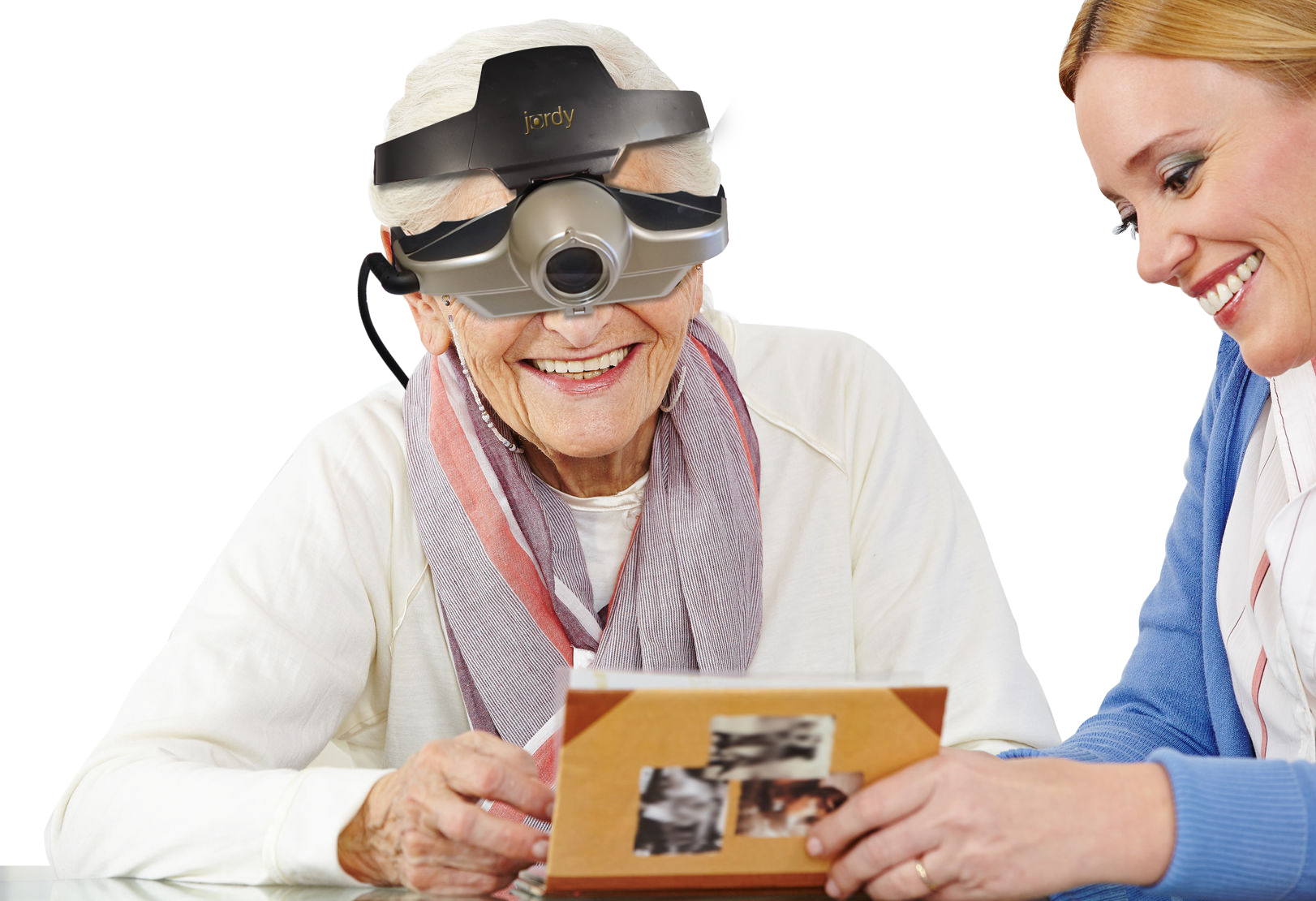 Wearable magnifiers – wearable technology is the future for those with low vision who live an active lifestyle. Wearable options make it possible to see and take part in everyday tasks, such as reading and recognizing faces.
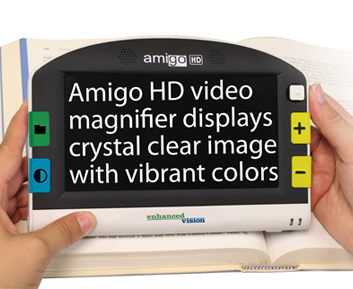 Transportable magnification screens– are perfect for close up viewing as well as distance viewing. These great viewers offer great flexibility, from watching TV to using the mirror image feature for self-viewing. There are APPS for smart phones that can be used to magnify reading material.
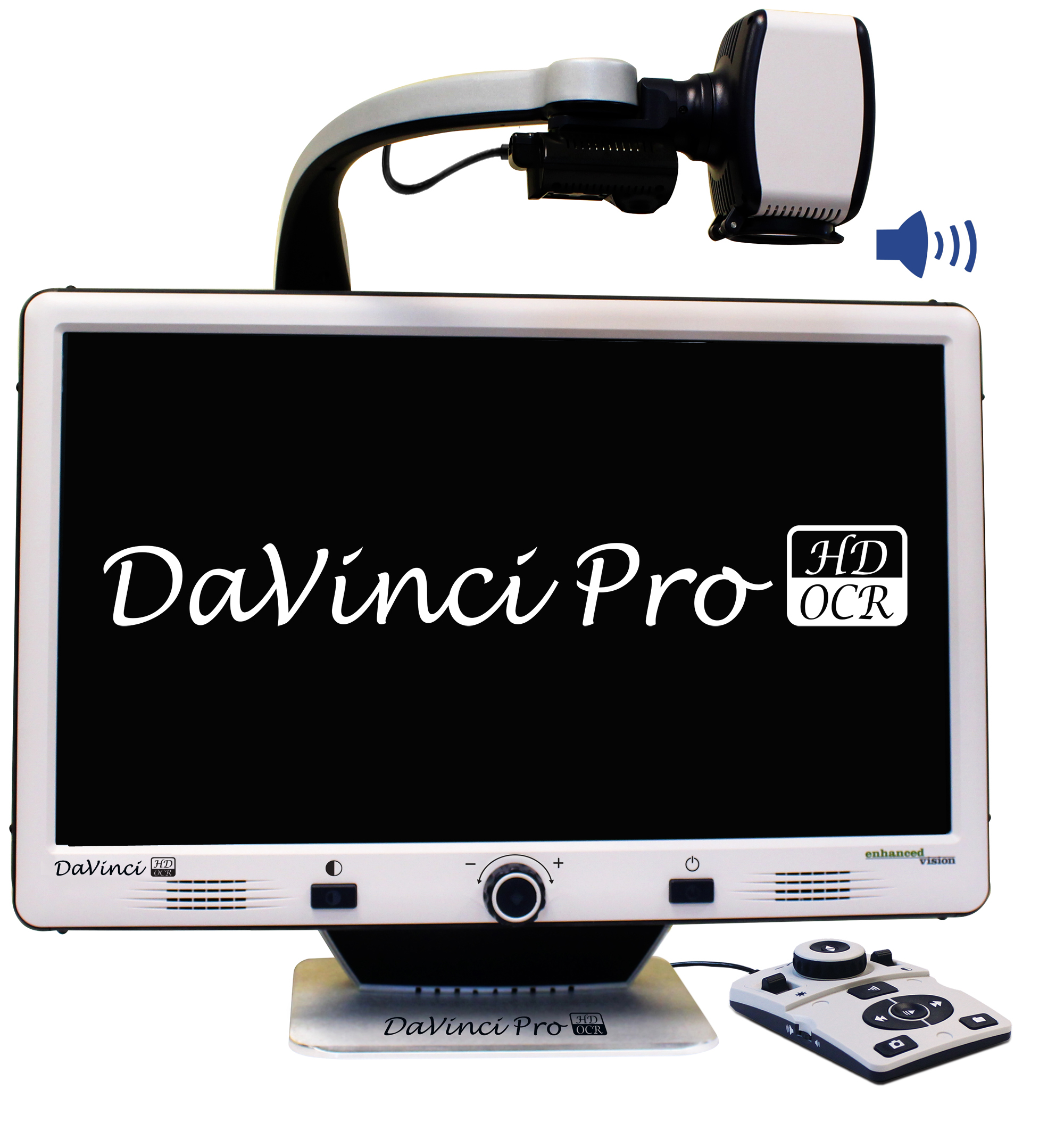 Desktop devices for reading books, bills or letters – these have large, bright screens. A reading table offers visual aid for reading books, optional computer connectivity and more. This family of portable magnification units offers up to 75x magnification.
 Harsh weather conditions can reduce the natural moisture in your eyes and the irritation usually results in a burning or itching sensation that often leads to rubbing or scratching your eyes which can worsen the symptoms. Sometimes it feels like there is a foreign object in your eye and for some, dry eyes can even cause excessive tearing, as your eyes try to overcompensate for their lack of protective tears. Prolonged, untreated dry eyes can lead to blurred vision as well. Between the harsh winter winds outside and the dry heat radiating inside, our eyes are very quickly irritated and dried in the winter months. The result is itchy, dry eyes that may cause pain, blurred vision, a burning sensation, or even watery vision as our eyes try to compensate for the dryness.